
画像 端末:iPhone6 サイズ:4.7inch
必要最低限のプログラムで指定したUILabel
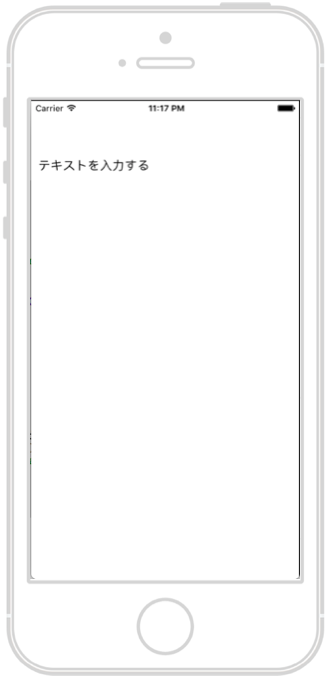
ソース swift3.0
|
1 2 3 4 5 6 7 8 9 10 11 12 13 14 15 16 17 18 19 20 21 22 23 24 25 26 |
import UIKit class ViewController: UIViewController { override func viewDidLoad() { super.viewDidLoad() // Do any additional setup after loading the view, typically from a nib. // ラベルを生成する let label = UILabel(frame: CGRect(x: 10, y: 40, width: 320, height: 100)) // 文字の設定 label.text = "テキストを入力する" // ラベルをviewに配置する self.view.addSubview(label) } override func didReceiveMemoryWarning() { super.didReceiveMemoryWarning() // Dispose of any resources that can be recreated. } } |
ラベルの詳細設定をした場合
画像 端末:iPhone6 サイズ:4.7inch
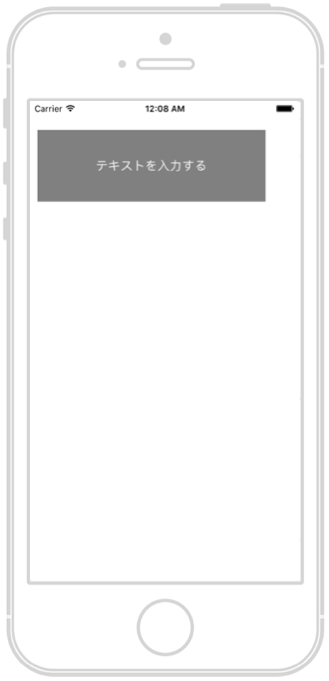
ソース swift3.0
|
1 2 3 4 5 6 7 8 9 10 11 12 13 14 15 16 17 18 19 20 21 22 23 24 25 26 27 28 29 30 31 32 33 34 35 36 37 38 39 40 41 |
import UIKit class ViewController: UIViewController { override func viewDidLoad() { super.viewDidLoad() // Do any additional setup after loading the view, typically from a nib. // ラベルを生成する let label = UILabel(frame: CGRect(x: 10, y: 40, width: 320, height: 100)) // 文字の設定 label.text = "テキストを入力する" // ラベルをviewに配置する self.view.addSubview(label) /* ここから詳細設定 */ // フォントサイズを17.0設定 label.font = UIFont.systemFont(ofSize: 17.0) // テキストカラーを白に設定 label.textColor = UIColor.white // テキストの文字寄せを中央寄せに設定 label.textAlignment = .center // 省略して記述した場合 label.textAlignment = NSTextAlignment.center // 全て記述した場合 // 背景色をグレー設定 label.backgroundColor = UIColor.gray } override func didReceiveMemoryWarning() { super.didReceiveMemoryWarning() // Dispose of any resources that can be recreated. } } |
appleの公式リファレンスはこちら
https://developer.apple.com/reference/uikit/uilabel
コメントを残す